
The Top Sales Record feature allows sellers to identify their best-performing segments within the EZDZSEND platform. This tool provides insights into which platforms, stores, products, or customers are generating the most revenue or transactions.
Initially, no data is displayed on the page. To view the top sales records, sellers must apply the necessary filters. This ensures that the data reflects the specific criteria and time period the seller wants to analyze.
Applying Filters
To generate top sales data, sellers need to fill in the following filter options:
- Top – Enter the number of top results to display (e.g., 1, 5, 10, 15, etc.).
- Type – Select the category for ranking:
- Platform – Rank based on sales by platform.
- Store – Rank based on sales by store.
- Inventory – Rank based on products or inventory items. Selecting this will prompt the seller to also select Platform and Store.
- Customers – Rank based on buyer activity. Selecting this will prompt the seller to select Inventory, Platform, and Store.
- Transaction Type – Choose whether to rank by Amount (total revenue) or Transaction Count.
- Date Range – Select the period for which to view the top records.
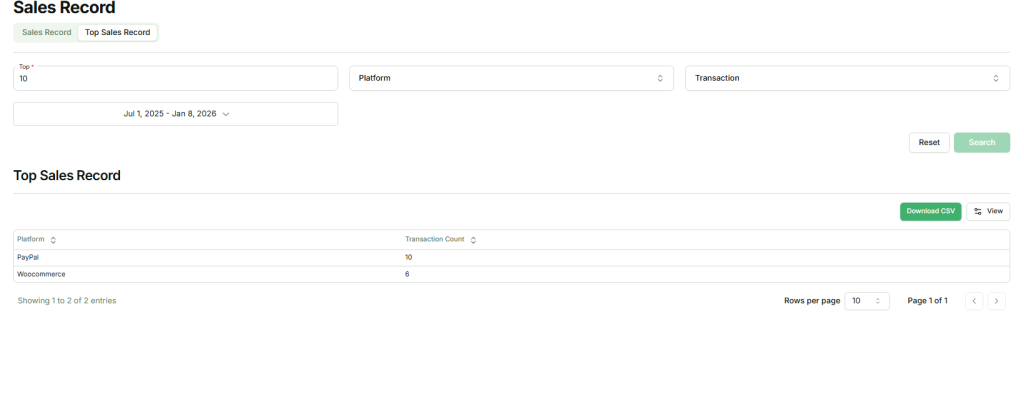
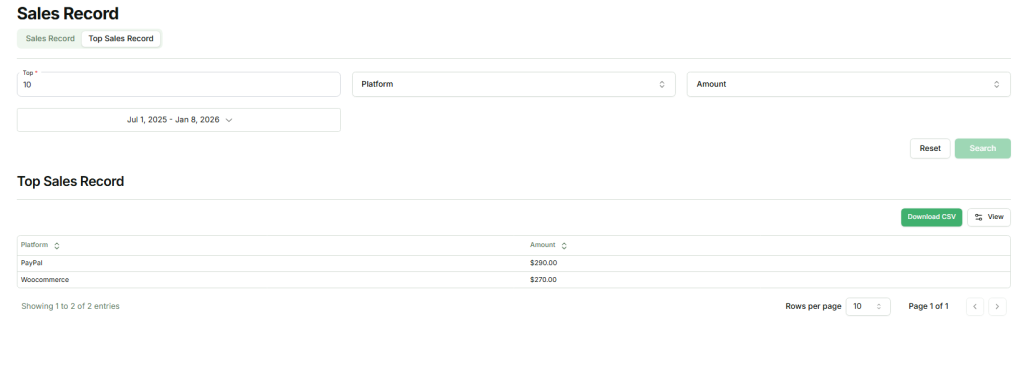
After applying the filters and clicking Submit, the system will display the top-performing records according to the selected criteria.