
The Alerts section allows sellers to enable or disable notifications for key events:
- New Held Order: Sends an email and notification when a transaction is pending.
- Low Inventory: Sends an email and notification when stock falls below the specified Low Inventory Limit.
- Low Credit: Sends an email and notification when available credit falls below the specified Low Credit Limit.
Sellers can toggle these alerts on or off and set custom thresholds for inventory and credit alerts.
Navigate to the Settings page
From your seller dashboard, go to the Alerts section.
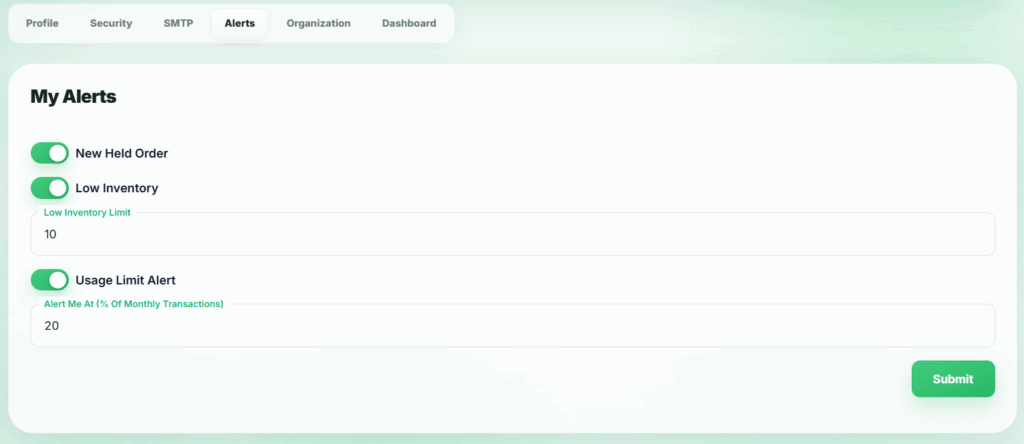
After clicking the Submit button, the changes will be saved and applied successfully.