
Etsy Integration and Linking Products with Inventory & Templates
Learn how to connect your Etsy store with EZDZSEND and link your products to delivery templates and inventory for smooth automated digital delivery.
🎥 Prefer to watch the video?
Click here to watch the full PayPal integration guide.
Connect your Etsy store #
To get started, log in to your EZDZSEND dashboard and open the Etsy integration section.
You will see two main tabs:
- Store List
- Product List
Add a New Etsy Store #
Inside the Store List tab, click the Add Store button. A pop-up named Add Etsy Store will appear.
Fill in the field:
- Name → Store name (Example: “My Etsy Store”)
- Click Submit.
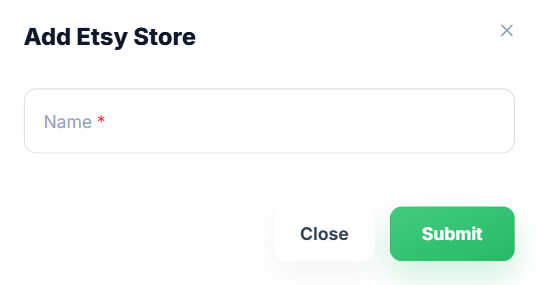
Add Etsy Store Modal – Sales Platform → Etsy → Add Store
What happens next:
You are redirected to Etsy.
- If the Etsy seller is not logged in, Etsy will ask you to log in to your personal or business seller account.
- If you are already logged in, Etsy will directly show the consent/permission screen.
- Review the permissions Etsy is requesting:
- Connect to your account
- See all listings (including expired etc)
- See private shop info
- See all checkout/payment data
- Update receipts
- Read your user profile
- Then click Grant access.
- After approval, you will automatically be redirected back to the platform.
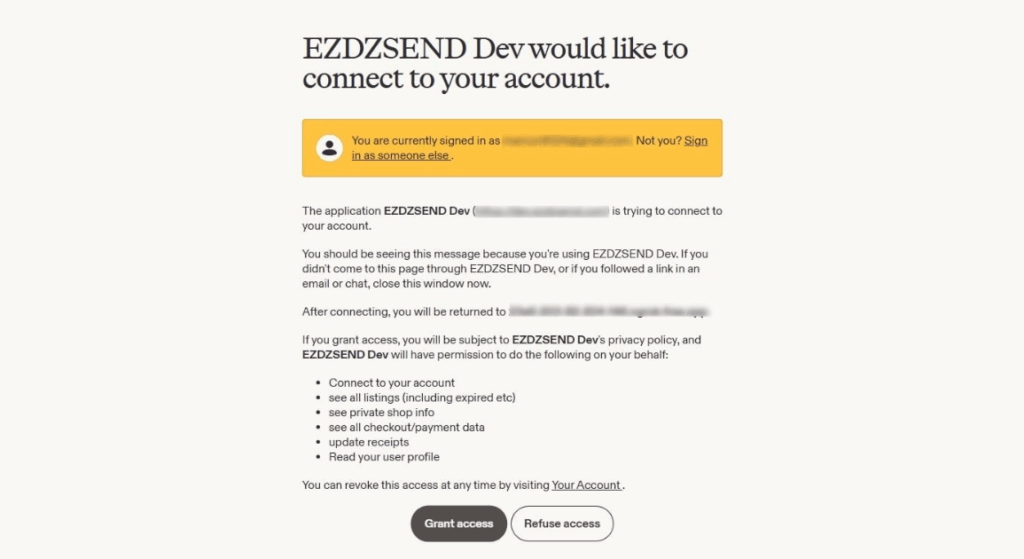
Give EZDZSEND Permissions to Connect with Etsy
Verify that Etsy store is connected
Etsy Store Table #
After completing the authorization, you will be redirected back to:
EZDZSEND → Sales Platform → Etsy
Your Etsy store will now appear in the Store List table with details such as:
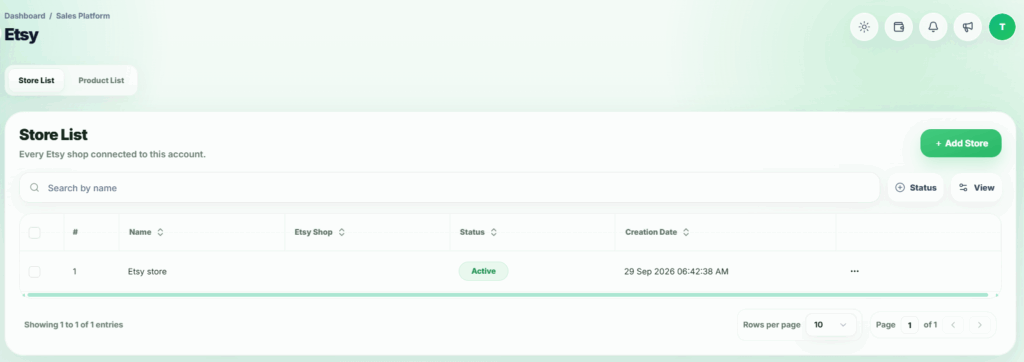
Connected Etsy Store Displayed in Store List
Actions Column:
- Edit → Edit store info.
- Inactive / Active → Change store status.
- Reconnect Store → Sometimes, a connected store may have problems updating properly, such as:
- Expired access tokens
- Revoked permissions
- Webhook or API errors
- Temporary connection failures → In these cases, sellers don’t need to delete the store or do anything complicated. They can use the “Reconnect Store” option to quickly and safely reconnect it, so the store updates correctly again.
- Delete → Remove store (Deleting this store will also remove all related transactions and products.)
Product List Tab 🛒 #
Once the store is successfully connected, your Etsy products automatically sync and appear in the Product List table.
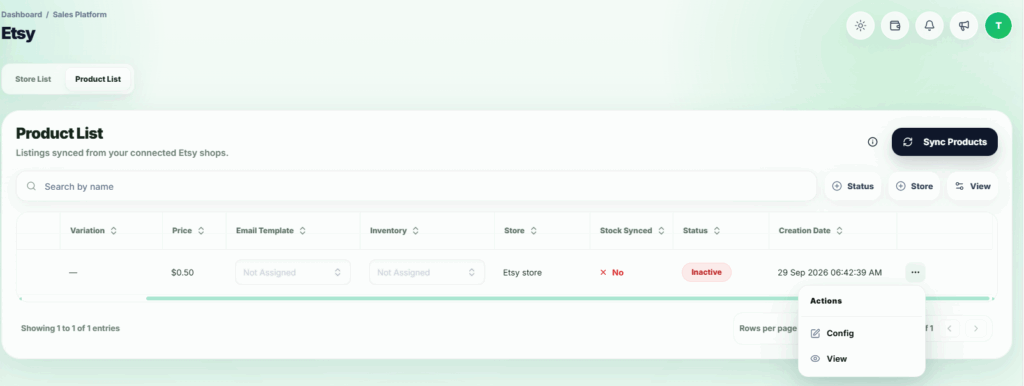
Imported Products from Etsy – Action Options Available.
Sync Product
Etsy does not send product updates automatically. Use Sync Products after adding a listing or a variation on Etsy so it can be mapped to an inventory here.