
The Reminder feature helps sellers keep track of a product restock or a follow-up action for a customer’s order. You can create a Stock, Refund, or Replacement reminder.
Creating a reminder saves it to Reminders. It does not send an email, issue a refund, or deliver a replacement automatically.
Create a Stock Reminder #
Use a Stock reminder to keep a list of customers who want to hear about a product restock.
- Go to Sales Platform and open the relevant store’s Product List.
- Open the product’s action menu and select Set Reminder.
- Review or edit the Title. The Product field is filled in from the selected product.
- Select a Reminder date. You can choose today or a future date.
- Add at least one customer. Select an existing customer, or enter a new customer’s name and email address and click Add customer.
- Add a Private note if needed, then click Save reminder.
You can add multiple customers to one Stock reminder. Each email address appears only once on that reminder.
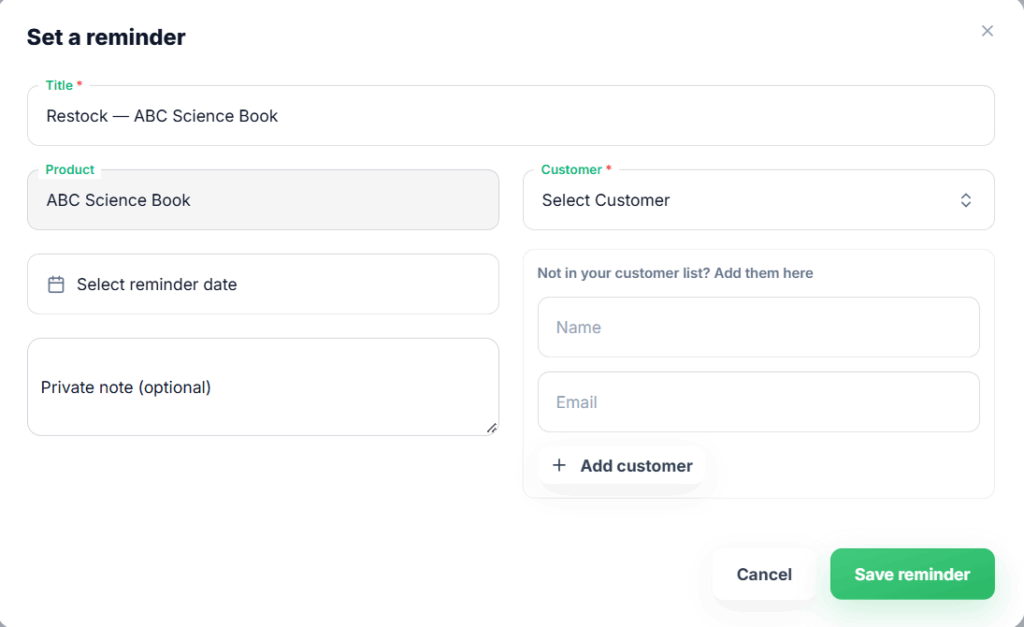
Set a reminder from product list
Create a Refund or Replacement Reminder #
Use these reminders to follow up on a successful order.
- Go to Transactions and find the successful order.
- Open its action menu and select Set Reminder.
- Choose Refund or Replacement under Reminder type.
- Review or edit the Title and select a Reminder date.
- Add a Private note if needed, then click Save reminder.
The Order and Customer fields come from the selected order and cannot be changed in the form. Refund is selected by default when it is available. If the order has already been fully refunded, only Replacement is offered. A partially refunded order can still have a Refund reminder.
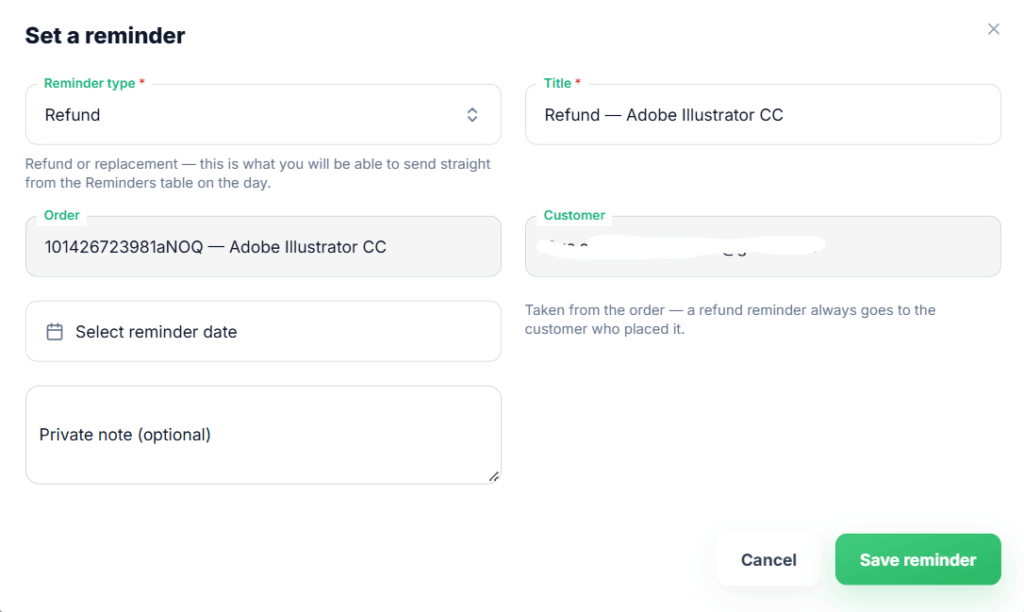
Set a reminder from Transaction table
What Happens After Saving? #
The reminder appears on the Reminders page. Open its row action menu to take the action associated with its type:
- Stock → Send restock email: Select customers from the reminder’s list, choose your connected email account, and send the restock message.
- Replacement → Send replacement: Open the replacement form for the order and complete the replacement.
- Refund → Refund: Open the refund form and choose the available refund option.
These actions are available while the reminder is pending, subject to the required permissions and order details. Saving a reminder does not perform its action automatically. You can also mark a pending reminder as completed from its row menu.
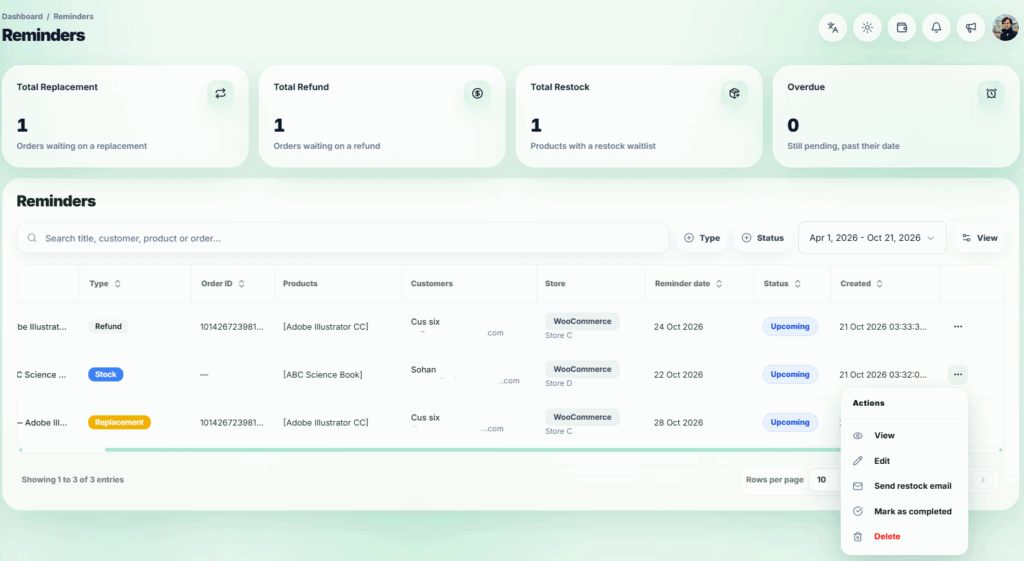
Reminder’s page
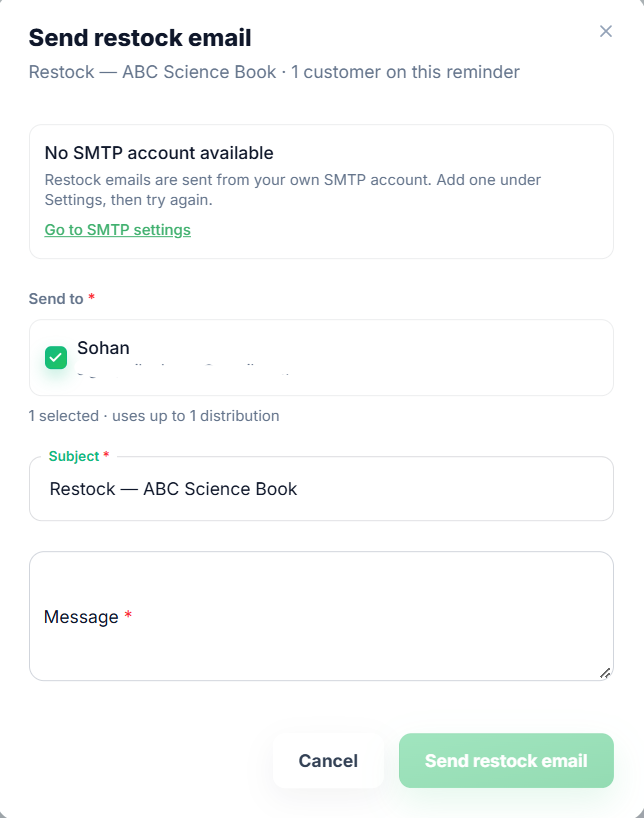
Send restock email modal